
Sophos Email Encryption Process
We recently implemented Sophos – a new secure messaging software used to encrypt emails.
What Sophos is and why you got an email
With this change, you will need to create a Sophos account to communicate with any VEBA support staff via email.
With this new process, you (or VEBA members) may receive an email with the subject line: “Your Sophos Secure Message Activation Information” if the email includes Protected Health Information (PHI), which requires encryption. This is a legitimate email.
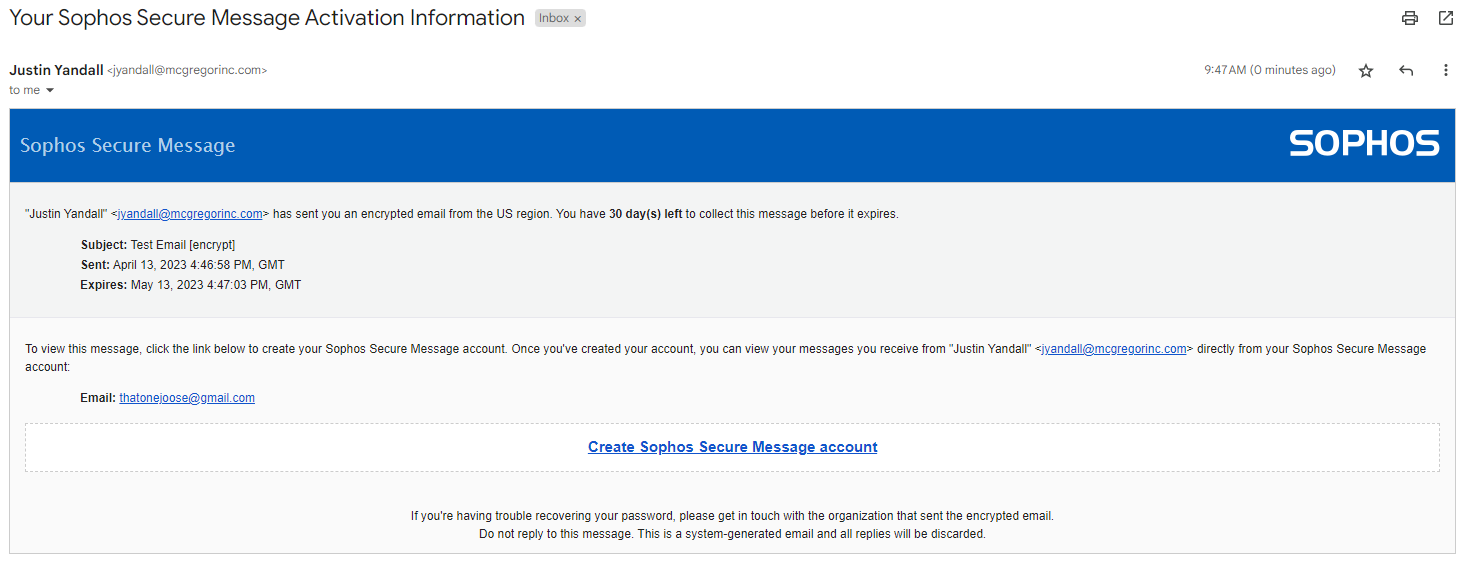
Set up your Sophos account
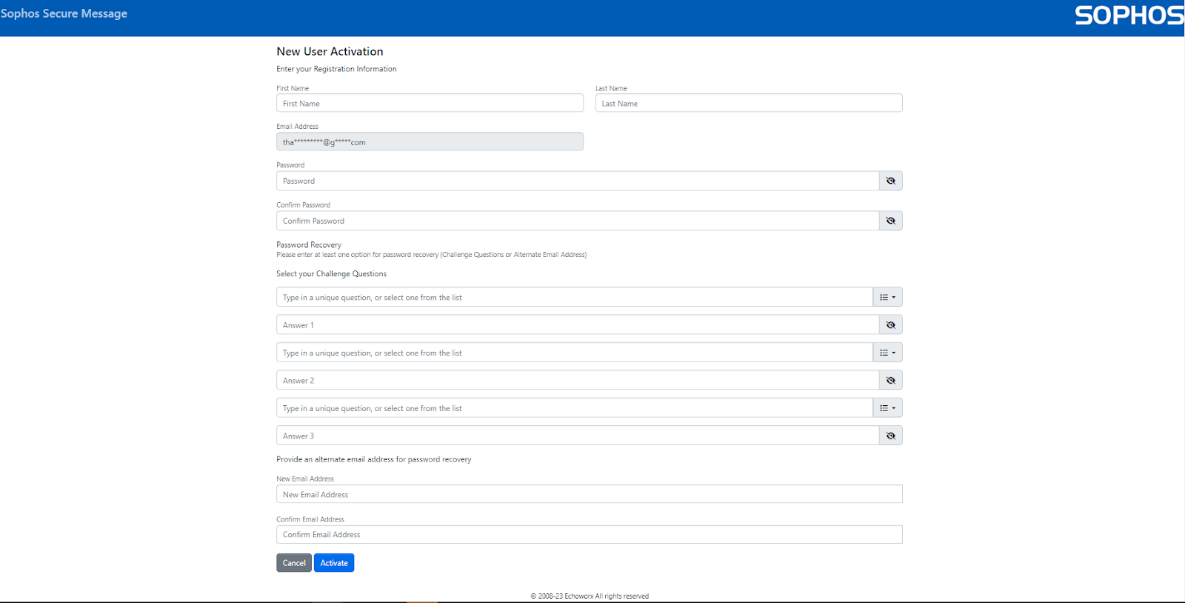
- Click the “Create Sophos Secure Message account” link at the bottom of the email.
- Complete the New User Activation page by creating a password and security questions, then click “Activate.”
- Enter your credentials and click “Login” to view the encrypted message.
Important note: To avoid receiving an error message (which will require you to resubmit your information), please pay attention to the password and security question requirements.
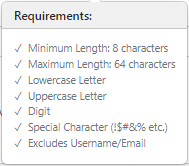
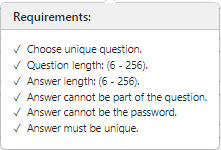
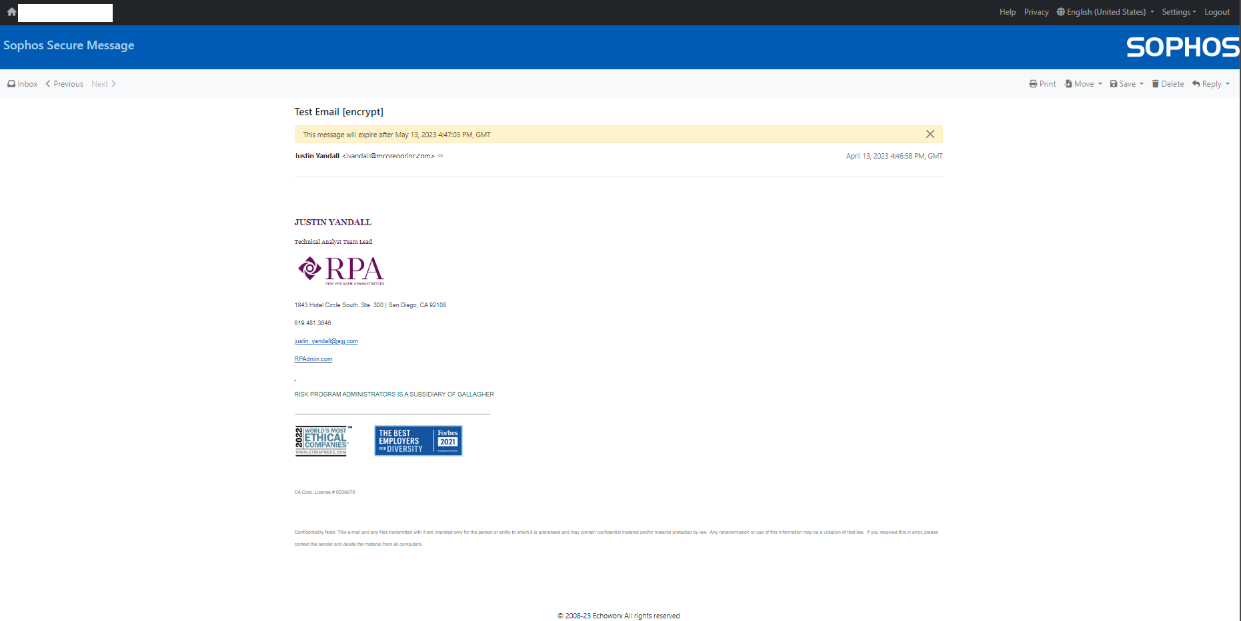
If processed correctly, you will then be directed to a confirmation page:

Enter the credentials that you created on the previous page and click “Login” to see your encrypted email message. You can then print, move, save, delete, or reply to the email.
Didn’t get a reply? Check your spam folder
If you submit an inquiry via email or web contact form and do not receive a response within 48 hours (24 hours for urgent requests), please also check your spam folder. If you have any questions, please contact your dedicated Account Manager.